Knots 3D
- 4.9
- Rating
- 1.00M
- Installs
- $5.99
- Price

 Analysis by App-foxy
I did not expect a knot reference app to become something I would return to, but Knots 3D makes a surprisingly strong case for learning by watching rather than reading. Its central idea is simple: instead of relying on a flat illustration or a paragraph of instructions, I can inspect a knot as a three-dimensional object and follow the tying process visually. That difference matters when a strand passes behind another strand, changes direction, or needs to be tightened in a particular order.
After using it as a practical reference, I see it less as a novelty and more as a compact digital handbook for anyone who works with rope, cord, camping equipment, fishing line, crafts, sailing gear, or everyday household ties. It is an app in the Books & Reference category, developed by Nynix LLC, and its appeal comes from making a traditionally confusing subject easier to understand. The experience is not perfect, and it will not replace hands-on practice, but it gives me a much clearer starting point than searching through disconnected videos.
Why the three-dimensional approach works so well
The best part of the app is the way it turns a knot into a sequence of visible movements. When I learn from a printed diagram, I often have to stop and mentally rotate the image. A video can help, but it may move too quickly, hide the working end, or force me to replay a long clip just to check one step. A 3D presentation sits between those two options: it gives me a visual demonstration while keeping the subject organized and inspectable.
You May Also Like

 Blood Strike: 2.5 Anniversary
Blood Strike’s Loadouts Turn Every Drop Into a Tactical Gamble
A close look at Blood Strike’s custom loadouts: how fast access to signature weapons reshapes its battle royale rhythm, rewards preparation, and narrows the gap between fights.

 Pandora - Music & Podcasts
Pandora’s Music Is Easy to Start, but Harder to Recover
Pandora’s strength is its low-effort path from a seed to a station. Its weak spot is how much confidence it asks you to place in connection, setup, and quiet recovery.

 8 Ball Pool
 Is Built on Rivalries, Rematches, and Routine
A close look at the rivalries, rematches, shared routines, and unanswered safety questions that turn a quick pool match into a persistent mobile community.

 Samsung Music
’s Quiet Strength Is Playing What You Already Own
Its reach comes less from spectacle than from dependable access to a personal library. That simplicity is both the app’s strongest retention engine and its ceiling.

 AccuWeather: Weather Radar
AccuWeather Review: A Quick, Clear Forecast for Everyday Decisions
For everyday plans, the best forecast is the one you can understand quickly. AccuWeather makes rain timing, radar, and local conditions easy to act on, with a few trade-offs.

 Hill Climb Racing
Why Hill Climb Racing Still Turns Crashes Into One More Run
A tiny car, a bumpy hill and one more upgrade: Hill Climb Racing keeps resurfacing because its simple chaos makes every near-miss feel personal.
More From Our News Desk



This is especially useful for knots that look almost identical at first glance. The difference may be the direction of one loop or whether an end passes over or under a standing part. Those details are easy to miss in a small drawing. With a three-dimensional model, I can pay attention to the path of the rope instead of memorizing a finished shape. That encourages understanding rather than imitation.
I also found the format more useful when I was already holding real cord. I could pause mentally after each movement, copy it with my own hands, and compare the result with the model. That makes the app suitable for short practice sessions: I do not need a table covered with equipment or a long lesson plan. A piece of shoelace, paracord, or ordinary rope is enough to test whether I understand the sequence.
The library covers over 220 knots, which gives the app a much broader role than a small collection of emergency ties. I would not expect to learn all of them, nor would I want to. The value is having a wide reference available when a specific situation calls for something more appropriate than the first knot I remember. A person interested in climbing history, decorative ropework, boating, fishing, camping, or practical household use can browse beyond the handful of familiar options.
There is also a useful distinction between recognizing a knot and knowing when to use it. A finished shape can look impressive while being completely unsuitable for a particular load, material, or release requirement. I treat the app as a learning and reference tool, not as a safety certification. For critical applications, I would still verify the knot through an experienced instructor or a trusted specialist source and test it carefully with the actual rope and conditions involved.
A realistic everyday way to use it
Imagine preparing for a weekend outdoors. Instead of saving several random videos and hoping they remain easy to find, I can open the app before leaving, choose a few knots relevant to tying down gear or managing cord, and practice them at home. The important advantage is not just the number of entries; it is the ability to review the movement sequence without searching through unrelated results.
Another practical example is repairing or organizing something around the house. I might need a temporary tie that holds securely but can still be released, or I might want a cleaner way to bundle a long cable. The app can help me compare different approaches visually. I still have to decide whether a knot is appropriate for the material and purpose, but the reference gives me more options than repeatedly using an overhand knot for everything.
For parents and teachers, the visual format can make a hands-on activity less intimidating. A learner can watch the path of the rope, try it, undo it, and repeat the movement. The Everyone content rating also makes the app broadly suitable for general audiences, although younger learners will still need supervision when rope is being used around the neck, moving equipment, water, or any situation where a mistake could create a hazard.
What I learned about using the library efficiently
A large collection can become less helpful if I approach it without a plan. My advice is to begin with a small personal set rather than browsing endlessly. Choose one knot for joining, one for making a loop, one for securing an object, and one that can be released after loading. Practice each with the same piece of rope until the hand movement feels familiar. Only then move on to more specialized entries.
I also recommend studying the knot in two stages. First, follow the demonstration slowly enough to understand where the working end travels. Second, close the visual reference and try to reproduce the sequence from memory. If I can only complete a knot while staring at every movement, I have recognized the animation but not learned the knot. Returning to the model afterward helps identify the exact point where my version diverged.
A less obvious benefit is that three-dimensional viewing helps reveal orientation mistakes before they become habits. When a knot comes out backward, it may still look roughly correct from one angle. Turning attention to the rope’s path makes the error easier to spot. This is one reason I prefer the app to a collection of still images, particularly for knots whose final appearance changes depending on how they are dressed and tightened.
Where it is stronger than ordinary alternatives
Search engines and video platforms offer an enormous amount of knot instruction, but they also create friction. Results vary in quality, terminology is inconsistent, and a demonstration may assume that I already understand basic rope language. A long video can be excellent for a complete lesson, yet inconvenient when I only need to check one transition. This app feels more focused because its purpose is narrow and its visual reference is always centered on the knot itself.
Printed books still have advantages. They are easier to annotate, can sit beside a workbench without a screen, and often provide historical context, strength information, or detailed discussion of rope materials. A serious sailor, climber, or instructor may prefer a specialized book for that depth. In my view, the app works best alongside such resources rather than trying to replace them.
It also differs from a general video tutorial in the kind of attention it demands. A video encourages me to follow along in real time, while the 3D model encourages me to inspect. That makes it particularly good for troubleshooting. If my knot looks wrong, I can revisit the movement that controls the crossing instead of watching the entire lesson again. The trade-off is that the app may feel less conversational than a patient instructor who can correct my hand position immediately.
The limitations I noticed in practice
The strongest limitation is also connected to the app’s main strength: a visual model cannot feel the rope. It cannot tell me whether I have crossed the strands cleanly, left enough tail, dressed the knot properly, or applied an unsafe amount of force. I still need tactile feedback and judgment. Someone expecting the app to teach complete rope handling without practice may come away overconfident.
There is a learning curve in interpreting a three-dimensional demonstration. Beginners can sometimes lose track of which end is the working end and which section remains stationary. A flat diagram may actually be easier for a very simple knot, especially when I only need a quick reminder. The app becomes more valuable as the structure becomes harder to visualize, but the first few sessions may require patience.
The breadth of the collection can also work against quick decision-making. Seeing many possible knots does not automatically tell me which one is best for my material, load, or environment. If I am looking for a single answer to a specific technical problem, a specialist guide or experienced person may be more efficient. I would not open this app as my only source while dealing with a life-safety application.
The price is $5.99, so this is not the choice for someone who only wants to learn one basic tie and may never open the reference again. For me, the cost makes more sense when I treat it as a reusable handbook rather than a one-time lesson. The app’s value grows with repeated use, especially for people who regularly handle rope or enjoy learning practical skills.
Its current version is 11.4.1, and it supports devices running Android 7.0 or later. That makes the compatibility requirement fairly approachable for many users, but anyone with an older device should check the operating system before planning to rely on it. I would also practice at home rather than assume that a first attempt in the field will go smoothly. A reference app is most useful when it has already become familiar before the moment I need it.
Who should install it, and who should skip it
I recommend it most strongly to campers, scouts, anglers, boat owners, crafters, makers, and curious learners who enjoy building practical skills. It is also a good fit for someone who has repeatedly watched knot tutorials but still struggles to understand the rope’s direction. The 3D presentation addresses exactly that problem by making hidden crossings easier to follow.
It may also suit teachers or group leaders who want a visual aid before demonstrating a knot in person. The app can help organize a lesson and give learners a way to review afterward. I would still demonstrate with real rope, because the difference between seeing a knot and tying one is substantial. The application is a companion for practice, not a substitute for it.
I would skip it if I prefer text-only instructions, need a specialist manual with extensive technical discussion, or only want a free, one-off answer. I would also choose an experienced instructor first for climbing, rescue work, heavy loads, or any task where a wrong knot could cause serious harm. The app can support that learning, but it should not be mistaken for professional supervision.
The app has earned a 4.9 average from around 29 thousand ratings, with roughly 2 thousand written reviews, and it has passed the million-install mark. Those figures suggest that the concept has reached a substantial audience, but they do not change my practical conclusion: its usefulness depends on whether I will actually practice. A large library sitting unused is less valuable than a small set of knots I can tie correctly and confidently.
My final recommendation
Knots 3D succeeds because it tackles the hardest part of knot learning: understanding the path of the rope through space. I appreciate that it gives me a focused visual reference instead of making me sort through unrelated tutorials. The collection is broad, the format is approachable, and the app is useful in both casual learning and practical preparation.
At the same time, I would keep my expectations realistic. It cannot judge tension, material, dressing, security, or suitability for a dangerous task. It also asks beginners to spend time interpreting a model before the movements become natural. Those are meaningful limitations, not minor details.
For anyone who wants a portable knot handbook and is willing to practice with real cord, I think the purchase is easy to justify. I would use it to build a personal toolkit, check unfamiliar sequences, and understand why a knot is formed in a particular way. My strongest recommendation is to use it as a visual coach, then put the phone down and prove the result with your own hands. That combination is where the app delivers its real value.
Overall, I see it as a thoughtful Books & Reference app from Nynix LLC rather than a gimmick. It is not the right answer for every rope problem, but it is one of the more useful ways to turn confusing knot diagrams into movements I can actually follow. For a person who has ever thought, “I know this knot exists, but I cannot remember how it goes,” this is a practical and well-focused solution.
FAQs for Knots 3D
01What is Knots 3D, and what can I do with it?
Knots 3D is an interactive reference and learning app that demonstrates how to tie a wide variety of knots. It includes animated, step-by-step 3D instructions that you can rotate, zoom, and inspect from different angles. The app is useful for campers, sailors, climbers, anglers, scouts, and anyone who wants to learn practical knots without relying on static illustrations.
02Does Knots 3D work without an internet connection?
After installation, Knots 3D is generally designed to provide access to its knot demonstrations directly on your device, making it convenient for outdoor situations where mobile data may be unavailable. However, initial downloads, updates, store verification, or certain optional content may require an internet connection. It is best to open the app once before traveling and confirm that the knots you need are available offline.
03How easy is Knots 3D to use for beginners?
The app is approachable for beginners because each knot is presented through a visual 3D animation rather than a complicated block of written instructions. You can pause, replay, rotate the model, and change the viewing angle while following the rope movements. Some knots still require patience and practice, but the interactive presentation is considerably clearer than many traditional diagrams.
04What types of knots are included in Knots 3D?
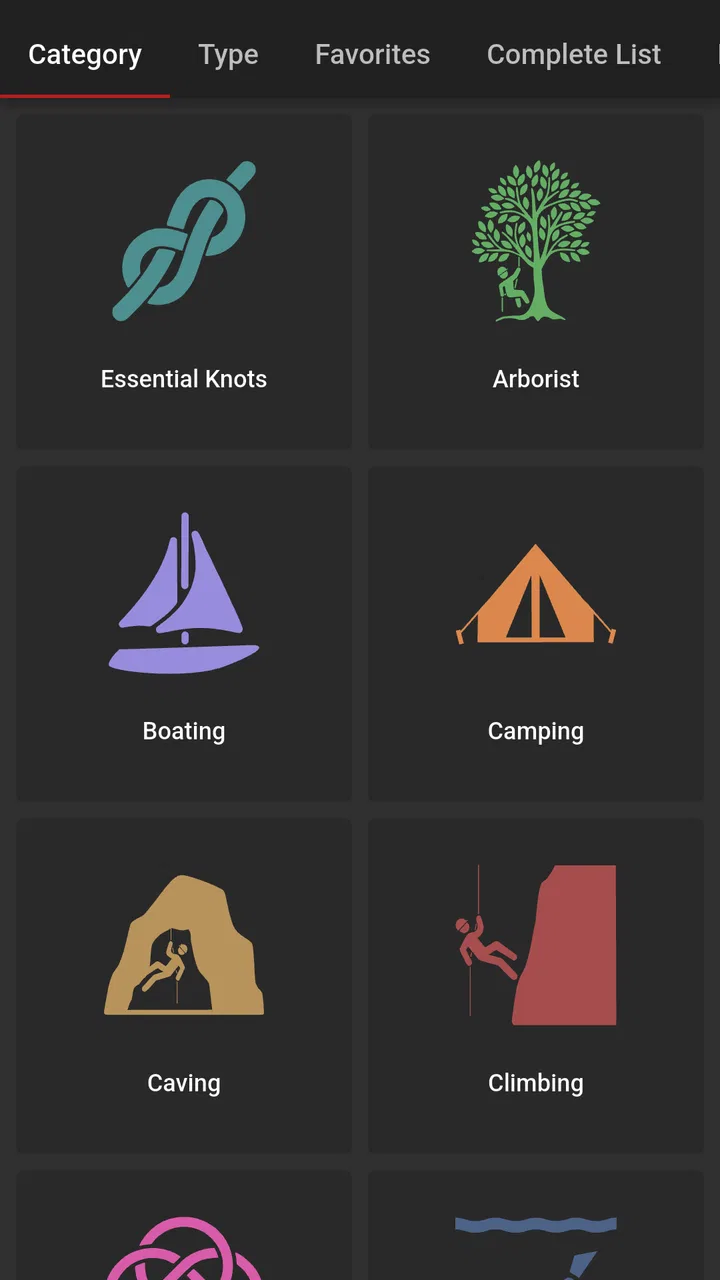
Knots 3D includes a broad selection of practical and specialized knots, commonly covering categories such as camping, boating, climbing, fishing, rescue, decorative tying, and everyday utility. The exact collection can vary depending on the app version and platform, so users should review the current store listing for the latest catalog. The app is intended as a learning reference, not a replacement for professional training.
05Can I rely on Knots 3D for climbing, rescue, or other safety-critical situations?
Knots 3D can be a helpful study and practice aid, but it should not be treated as the sole authority for climbing, rescue, sailing, or load-bearing work. Correct knot selection, rope condition, dressing, tightening, backup methods, and inspection are all important. Beginners should learn from a qualified instructor and verify techniques with trusted safety organizations before using any knot in a hazardous situation.
Pros
- Clear 3D models make knot structure easy to understand.
- Includes a broad collection of practical and decorative knots.
- Interactive rotation helps you inspect every step from any angle.
- Useful reference for sailing
- camping
- fishing
- and outdoor activities.
- Works well as a visual learning tool for beginners and hobbyists.
Cons
- Some advanced knots may require repeated practice to follow correctly.
- The interface can feel dated compared with newer educational apps.
- Limited value if you only need a small selection of basic knots.
- 3D animations may feel slow on older phones or tablets.
- It focuses on visual instructions rather than detailed knot theory.

Knots 3D
Gallery